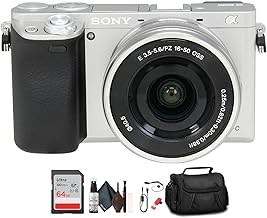
In the ever-evolving world of digital photography, few cameras have achieved the legendary status of the Sony Alpha a6000. Launched years ago, this compact powerhouse continues to be a bestseller camera for a compelling reason: it delivers exceptional performance that belies its age and price point. Whether you've just unboxed this black camera body or have been using it for a while, mastering its features is key to transforming your snapshots into stunning photographs. This comprehensive guide is designed to help you do just that, moving beyond auto mode to harness the true power of this 24.3 MP marvel.
Why the Sony A6000 Remains a Photographic Powerhouse
Before diving into the settings, it's worth understanding why the Sony A6000 endures. Its core strength lies in a brilliant combination of a high-resolution 24.3-megapixel APS-C sensor and a blisteringly fast hybrid autofocus system with 179 phase-detection points. This setup, housed in a lightweight mirrorless camera body, provides image quality and focusing speed that rival many modern counterparts. For travel photographers, vloggers, and enthusiasts, its portability paired with this performance creates an unmatched value proposition. The camera's longevity is a testament to Sony's forward-thinking design, proving that great technology doesn't become obsolete overnight.
Essential Camera Settings to Configure First
Unlocking your camera's potential starts in the menu. Here are the first settings every A6000 owner should adjust:
- File Format: Always shoot in RAW & JPEG. RAW files contain all the image data from the sensor, giving you immense flexibility in post-processing to correct exposure, white balance, and recover details.
- Creative Style: Set this to 'Standard' or 'Neutral' for JPEGs. Avoid overly saturated or contrasty styles like 'Vivid' for general shooting, as they bake in effects that are hard to remove later.
- AF System: For most situations, use 'AF-C' (Continuous AF) with 'Wide' or 'Zone' area. This leverages the camera's 179-point phase-detection system to track moving subjects, perfect for kids, pets, or street photography.
- Custom Keys (Fn Menu): This is your control hub. Program it with your most-used settings: ISO, Drive Mode, White Balance, Metering Mode, and Focus Area. Quick access here is faster than digging through menus.
Mastering the Exposure Triangle: Aperture, Shutter Speed, and ISO
The heart of creative photography is manual control over exposure. Let's break down how to use these settings on your 24.3 mp camera:
Aperture (A Mode): Control depth of field. A low f-number (e.g., f/1.8) creates a beautiful, blurry background (bokeh), ideal for portraits. A high f-number (e.g., f/8) keeps everything from foreground to background sharp, perfect for landscapes.
Shutter Speed (S Mode): Freeze or blur motion. Use fast speeds (1/500s or higher) to freeze a sprinter. Use slow speeds (1/30s or slower) to create motion blur in waterfalls or light trails. Always consider using a tripod for slow shutter speeds to avoid camera shake.
ISO (Sensitivity): Brightens your image in low light. Keep ISO as low as possible (e.g., 100-400) in bright conditions for the cleanest images. Don't be afraid to raise it (1600-3200) in dimmer settings; the A6000's sensor handles noise reasonably well up to ISO 6400.
Advanced Techniques for the Creative Photographer
Once you're comfortable with the basics, these techniques will elevate your work:
Back-Button Focus: Separate focusing from shutter release. Assign the AF/MF button (on the back) to activate autofocus. This allows you to lock focus on a subject and recompose without the focus shifting when you press the shutter, a game-changer for portrait and wildlife photography.
Shooting in Manual Mode (M): This gives you complete control. Set your desired aperture for depth of field and shutter speed for motion. Let the camera's metering guide you, then adjust ISO until the exposure level indicator is centered. It's the ultimate way to ensure consistent exposure across a series of shots.
Leveraging the E-Mount System: One of the biggest advantages of the E-mount camera system is lens versatility. Pairing the camera body with a fast prime lens like a 35mm f/1.8 or a 50mm f/1.8 opens up new worlds in low-light performance and background separation, far surpassing the capabilities of a standard kit lens.
Post-Processing: Bringing Your A6000 RAW Files to Life
The journey doesn't end when you press the shutter. Post-processing is where you refine your vision. Import your RAW files into software like Adobe Lightroom. Key adjustments include:
- Exposure & Contrast: Fine-tune the overall brightness and punch of the image.
- White Balance: Correct color casts to ensure whites are white.
- Sharpening & Noise Reduction: Apply subtle sharpening to enhance details and use noise reduction judiciously on high-ISO shots.
- Lens Corrections: Enable profile corrections to automatically fix distortion and vignetting caused by your lens.
The 24.3MP files from the Alpha a6000 have ample detail for cropping and adjusting, giving you significant creative freedom in the digital darkroom.
Conclusion: Your Journey with a Timeless Tool
The Sony A6000 is far more than a beginner's camera; it's a capable tool that can grow with your skills for years. Its combination of a robust digital SLR camera-sized sensor in a mirrorless body, lightning-fast autofocus, and extensive customizability makes it a platform for endless creativity. By moving beyond full-auto, understanding the exposure triangle, and exploring advanced techniques, you transform this accessible piece of hardware into a true extension of your creative eye. The best camera is the one you have with you, and with mastery, your Sony A6000 will be the one you confidently choose, time and time again, to capture the world as you see it.